

How To Launch Your AI Employee with EnterEcom
AI Marketing, Automation, EnterEcom Web Solutions
How to Create and Launch an AI Employee with EnterEcom to Supercharge Your Marketing
Discover how to turn EnterEcom Web Solutions into your always-on AI employee that plans, executes, and optimizes your marketing—so you can save time, cut costs, and focus on growing your business.
What Is an AI Employee in Your Marketing Team?
An AI employee is more than a chatbot or a single automation. Inside EnterEcom Web Solutions, it acts like a dedicated digital team member that can:
Plan campaigns and suggest the best channels for your audience
Write emails, social posts, and landing page copy in your brand voice
Respond to leads automatically and qualify them for you 24/7
Track performance and optimize campaigns based on real-time data
The result is a scalable marketing engine that works around the clock without adding headcount or complex tech stacks.
Step 1: Set Up the Foundation in EnterEcom Web Solutions
Before you “hire” your AI employee, you need a solid foundation. Inside EnterEcom Web Solutions, this takes just a few guided steps, even if you are not technical:
Create your account: Start your 14-day free trial or book a live demo to get access to your all-in-one AI-powered marketing dashboard.
Connect your tools: Seamlessly integrate your website, CRM, email service, and social channels so your AI employee can see the full picture of your marketing.
Define your goals: Tell EnterEcom whether you want more leads, higher conversion rates, repeat purchases, or all of the above. The AI will align its actions with these objectives.
💡 Pro Tip: Be as specific as possible with your goals and target audience. The clearer your inputs, the smarter your AI employee’s decisions will be.
Step 2: “Hire” Your AI Employee by Defining Its Role and Voice
Inside EnterEcom Web Solutions, you can configure your AI employee much like you would onboard a real team member. This is where you turn generic AI into a brand-aligned assistant:
Choose the main role: For example, “AI Marketing Manager,” “AI Copywriter,” or “AI Lead Nurturing Specialist.”
Set the tone of voice: Friendly, expert, playful, or premium—EnterEcom lets you define how your AI should speak to your audience.
Upload brand assets: Add your logo, brand colors (such as your dark blue and orange), and key messages so every output feels on-brand and consistent.
With this setup, your AI employee understands who it works for and how to represent your business in every campaign and customer interaction.
Step 3: Use Your AI Employee to Increase Marketing Impact
Once your AI employee is configured, you can start using EnterEcom’s all-in-one toolkit to scale your marketing without scaling your workload. Here are powerful ways it boosts your marketing:
Automated content creation: Generate high-converting email sequences, social media calendars, blog outlines, and ad copy in minutes instead of days.
Smart funnel building: Let the AI suggest landing page structures, headlines, and offers based on your audience and goals, then launch them directly from the platform.
24/7 lead nurturing: Your AI employee can send follow-up emails, answer common questions, and route hot leads to you, so no opportunity gets missed overnight or on weekends.
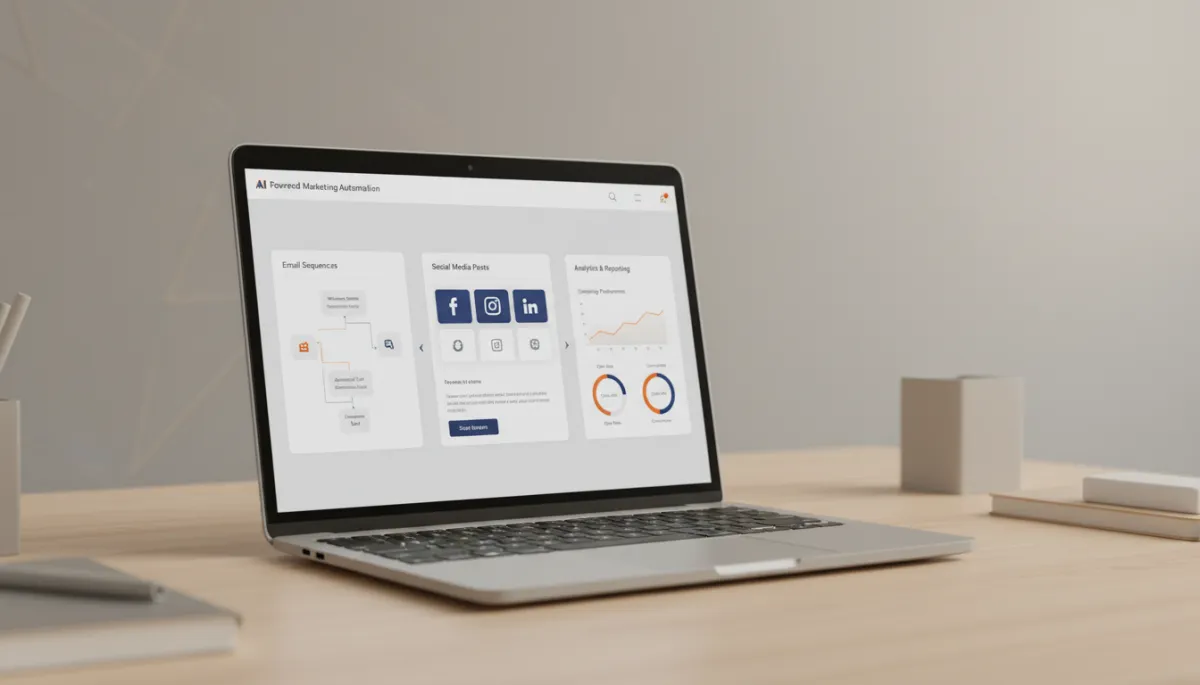
Centralizing campaigns in EnterEcom helps small teams launch more marketing with fewer resources.
Step 4: Save Time and Money with Automation and Integration
Many entrepreneurs juggle multiple tools: email platforms, social schedulers, landing page builders, chat widgets, and analytics dashboards. EnterEcom Web Solutions replaces this patchwork with one integrated AI-powered system, which is where the real savings happen.
Save time: Routine tasks—like sending follow-ups, posting on social media, tagging leads, and segmenting lists—are handled automatically by your AI employee, freeing hours every week.
Save money: Instead of paying for multiple subscriptions and extra staff, you use one platform that combines the tools and intelligence you need to grow.
Reduce errors: Automation reduces manual data entry and missed follow-ups, helping you capture more revenue from the leads you already have.
📌 Key Takeaway: Your AI employee doesn’t just do more marketing—it does it smarter, so every campaign, email, and ad works harder for your budget.
Step 5: Launch, Learn, and Continuously Improve with AI Insights
Launching your AI employee is not a one-time event—it is the start of an ongoing partnership. EnterEcom Web Solutions continuously analyzes your results and suggests improvements, acting like a data-driven strategist on your team.
Review performance dashboards to see which campaigns, subject lines, and offers are winning.
Let the AI recommend A/B tests and automatically shift budget or focus toward top-performing variations.
Refine your AI employee’s instructions over time, just as you would coach a human marketer, so it becomes even more aligned with your brand and goals.
Ready to Put an AI Employee on Your Marketing Team?
Creating and launching an AI employee with EnterEcom Web Solutions is one of the fastest ways for entrepreneurs and small to medium businesses to increase marketing output while saving time and money. Instead of hiring multiple specialists or wrestling with disconnected tools, you get a single, AI-powered system that plans, creates, launches, and optimizes for you.
If you are ready to simplify your marketing, scale more confidently, and let AI handle the heavy lifting, start your 14-day free trial or book a live demo today. Meet the last marketing software you will ever need—and the smartest new “employee” on your team.


